Every screen, as it is.
The iPhone app as it is, with demo data in it. Keep scrolling and each screen comes round.
At the stand
What a student, or a teacher practicing, has in front of them.
Minutes practiced today fill a chord, one voice for every fifteen.
Blocks in order, with a start time, a reminder and a repeat.
Metronome, tuner and drone in one place, with the three rating buttons under them.
A chord for each day practiced, a rest for each day missed.
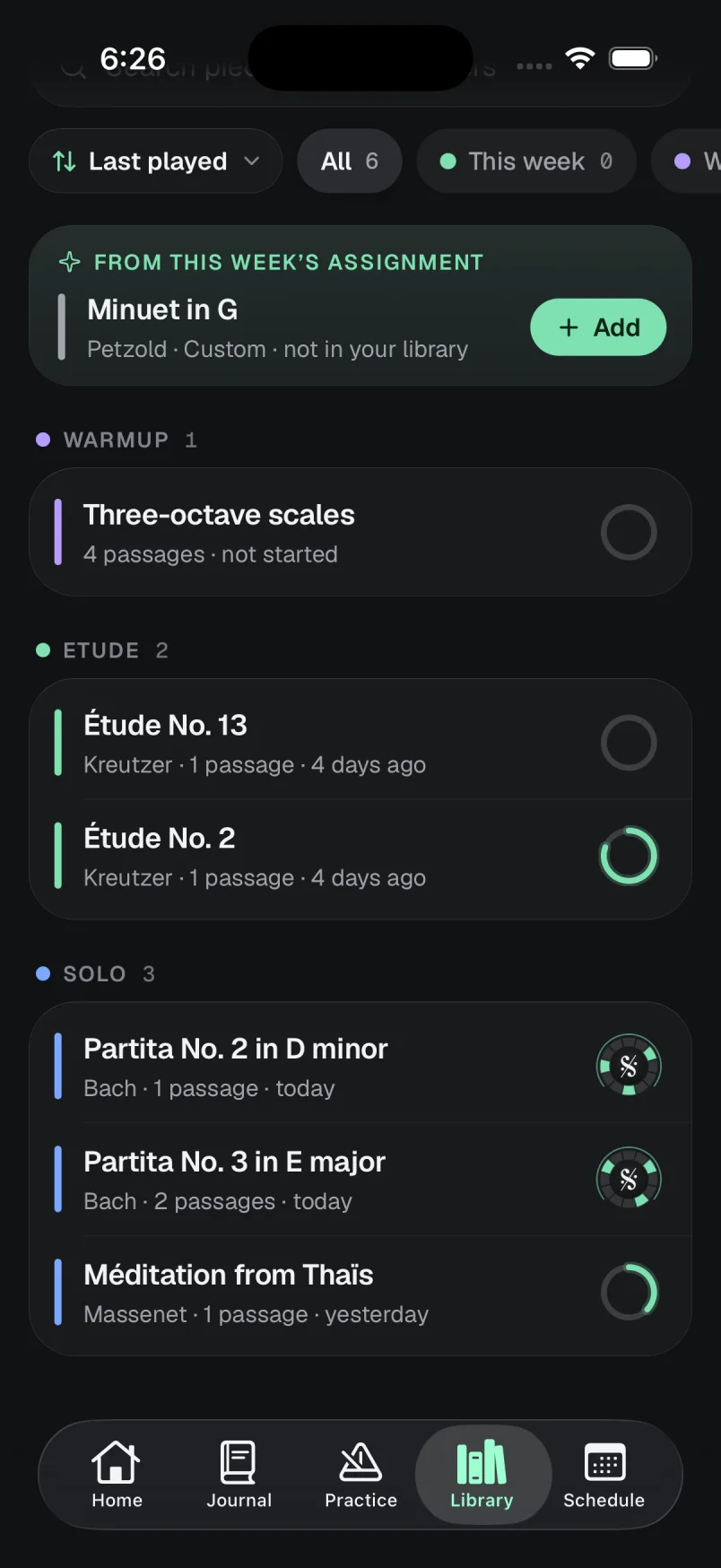
Every piece and its passages. A mastered piece shows its Segno seal.
At the stand
What a student, or a teacher practicing, has in front of them.
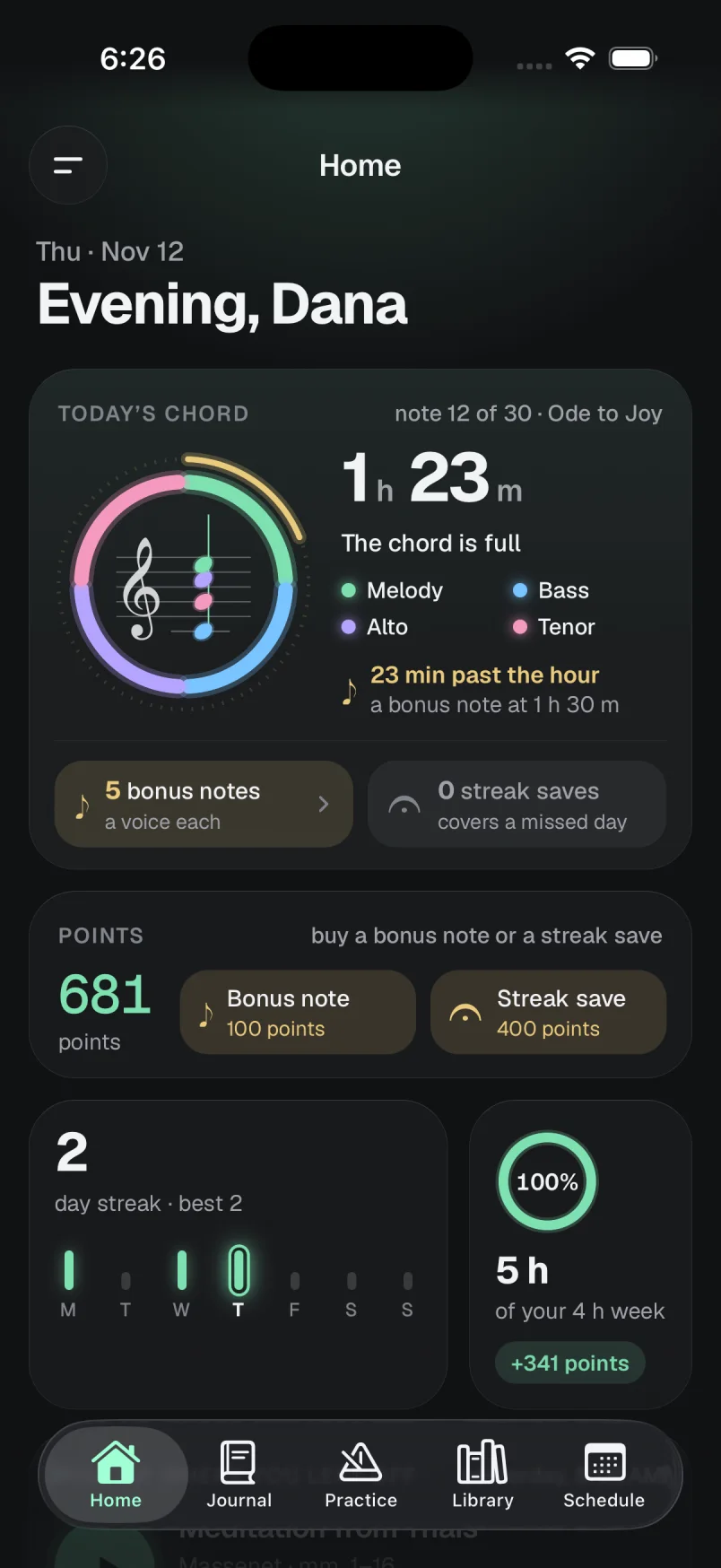
Today’s chord
Minutes practiced today fill a chord, one voice for every fifteen.
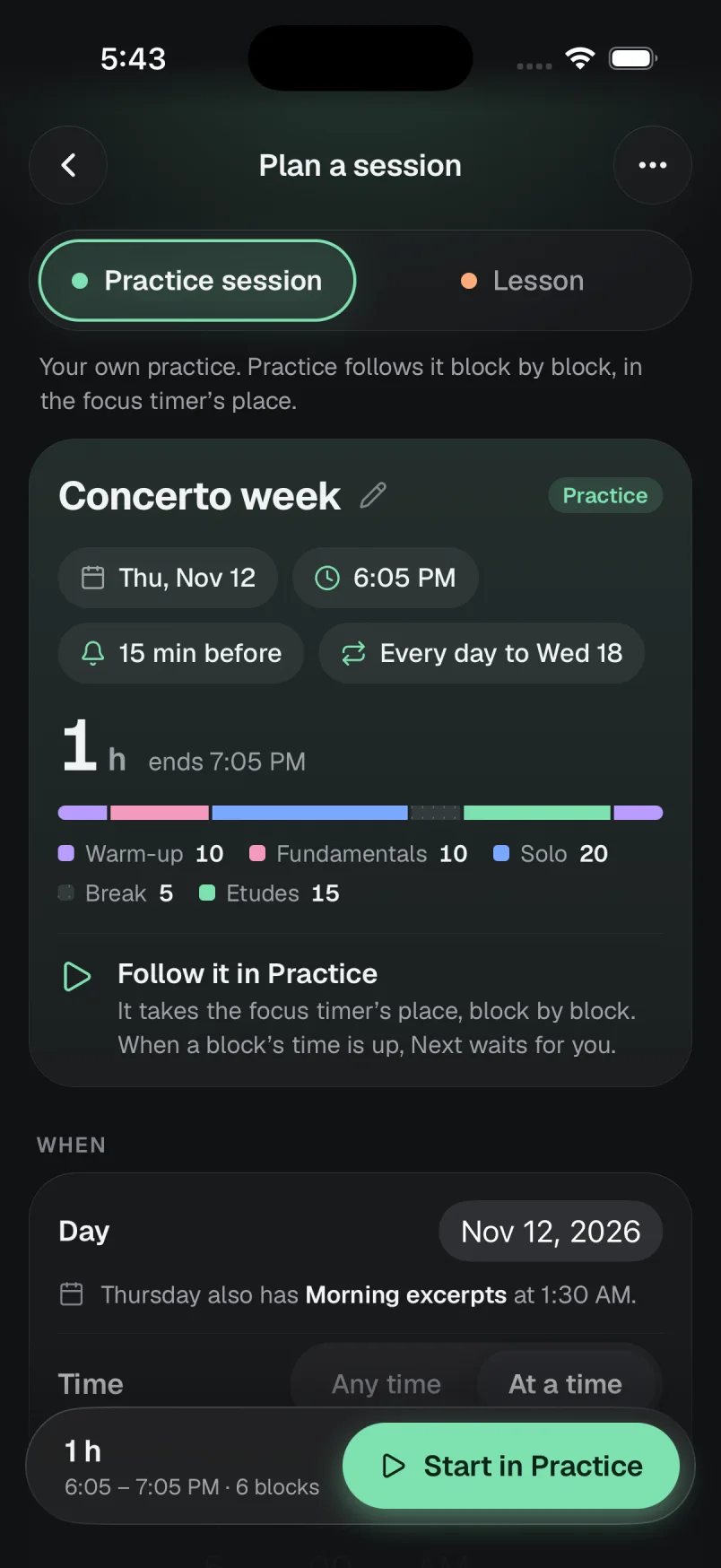
A session, planned
Blocks in order, with a start time, a reminder and a repeat.
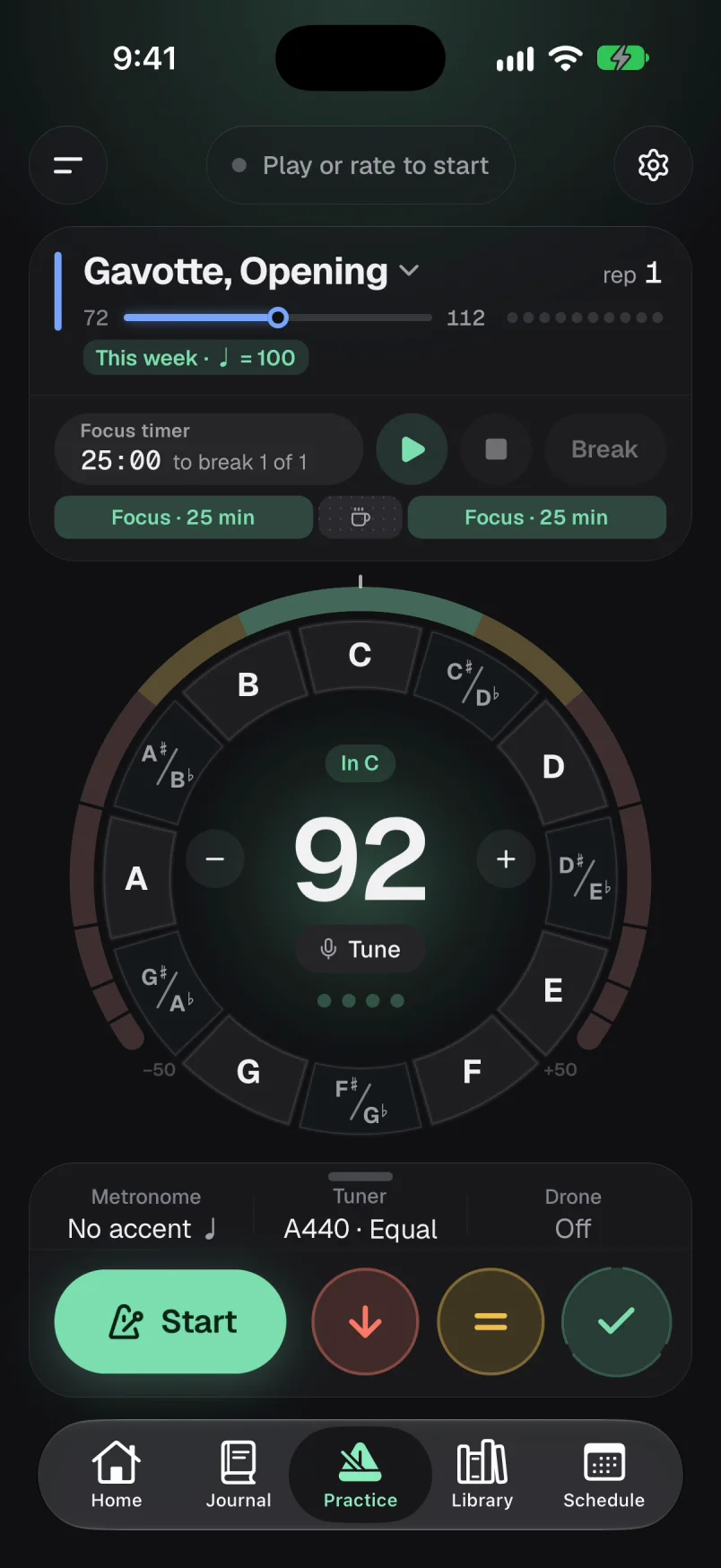
The dial
Metronome, tuner and drone in one place, with the three rating buttons under them.
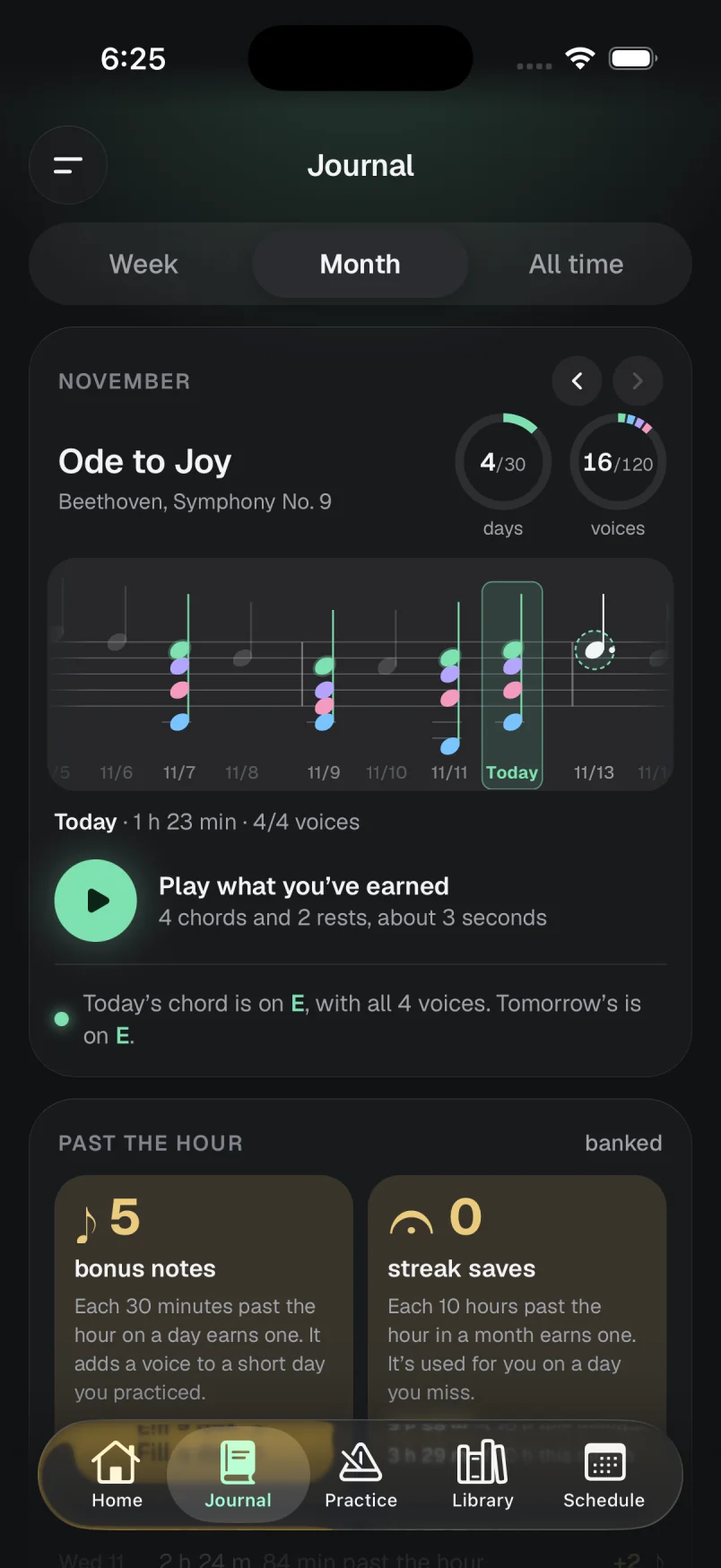
The month’s piece
A chord for each day practiced, a rest for each day missed.
The library
Every piece and its passages. A mastered piece shows its Segno seal.
In the studio
What the teacher has: the Studio page in the app’s menu, and the schedule.
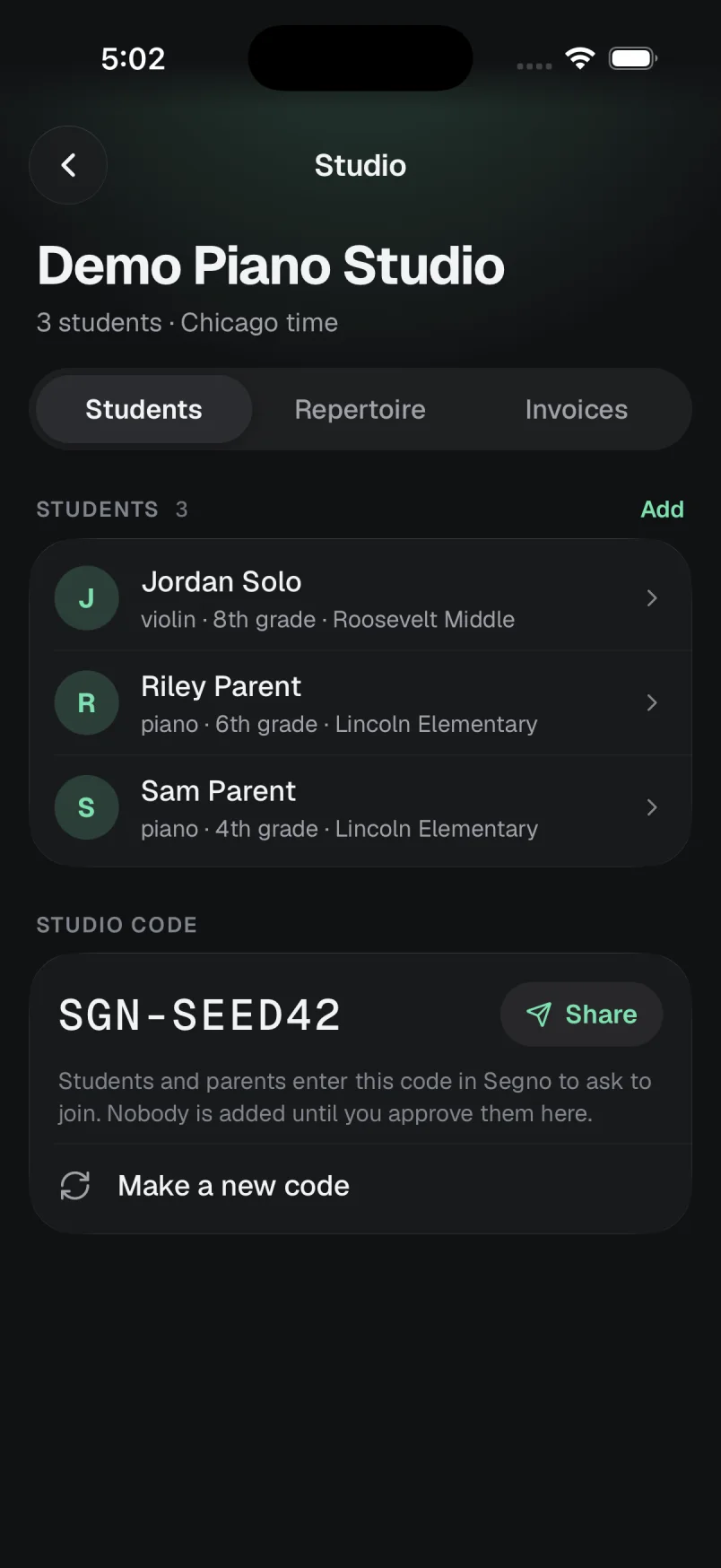
Students join with your studio code. Nobody is added until you approve them.
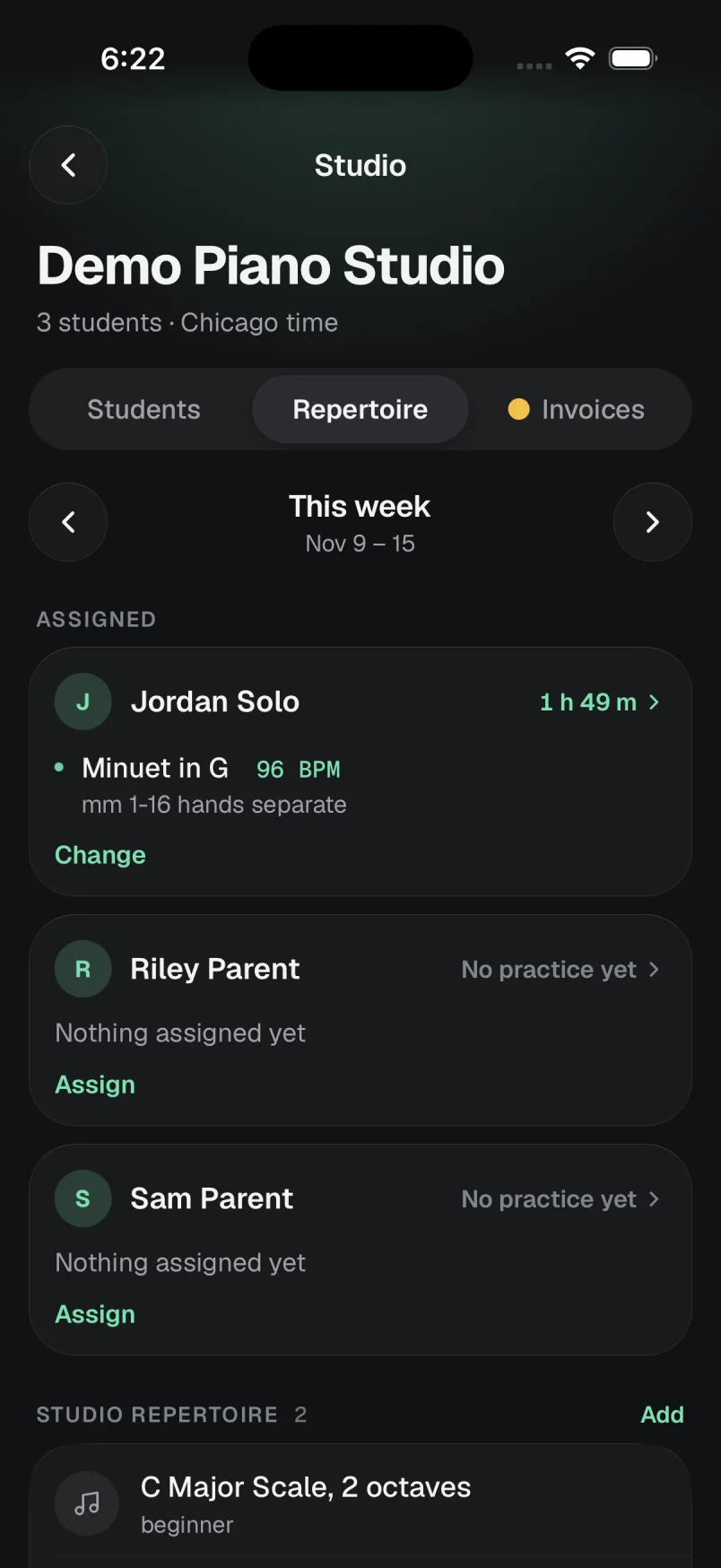
Pieces, a tempo for each and a note, with the week’s practice beside the name.
Passages, reps, clean reps and where the tempo went, session by session.
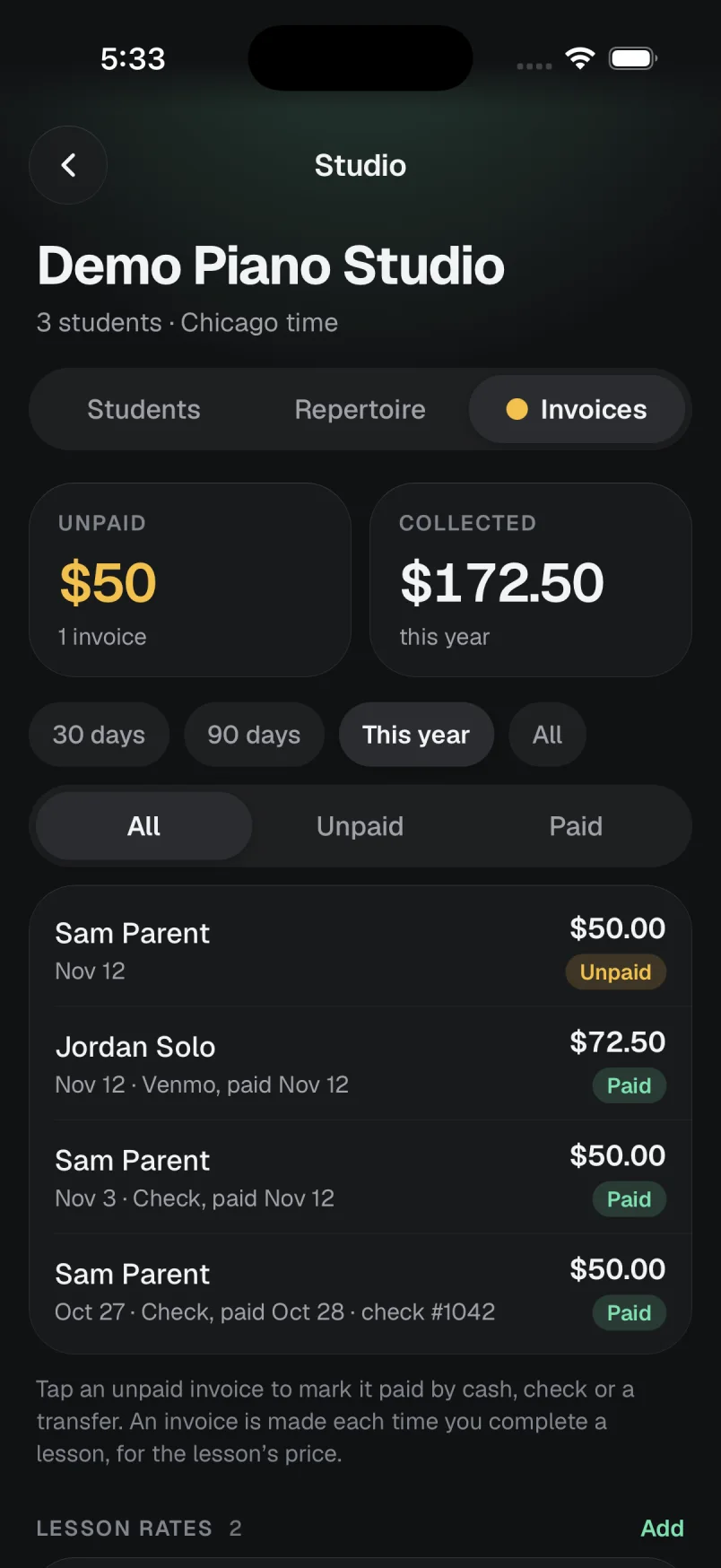
One for each completed lesson. Mark it paid by cash, check or transfer.
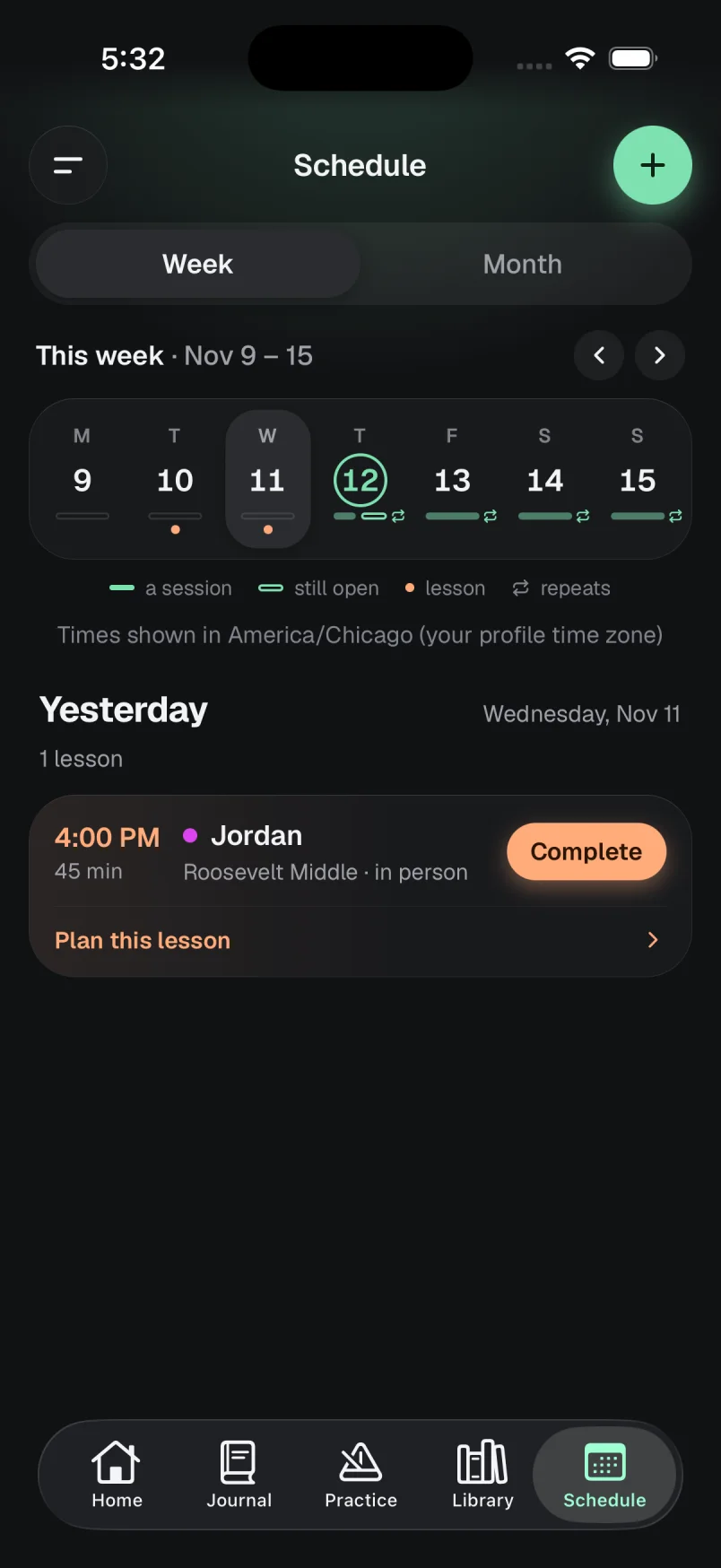
Lessons and practice sessions on one week.
In the studio
What the teacher has: the Studio page in the app’s menu, and the schedule.
Your roster
Students join with your studio code. Nobody is added until you approve them.
The week’s assignment
Pieces, a tempo for each and a note, with the week’s practice beside the name.
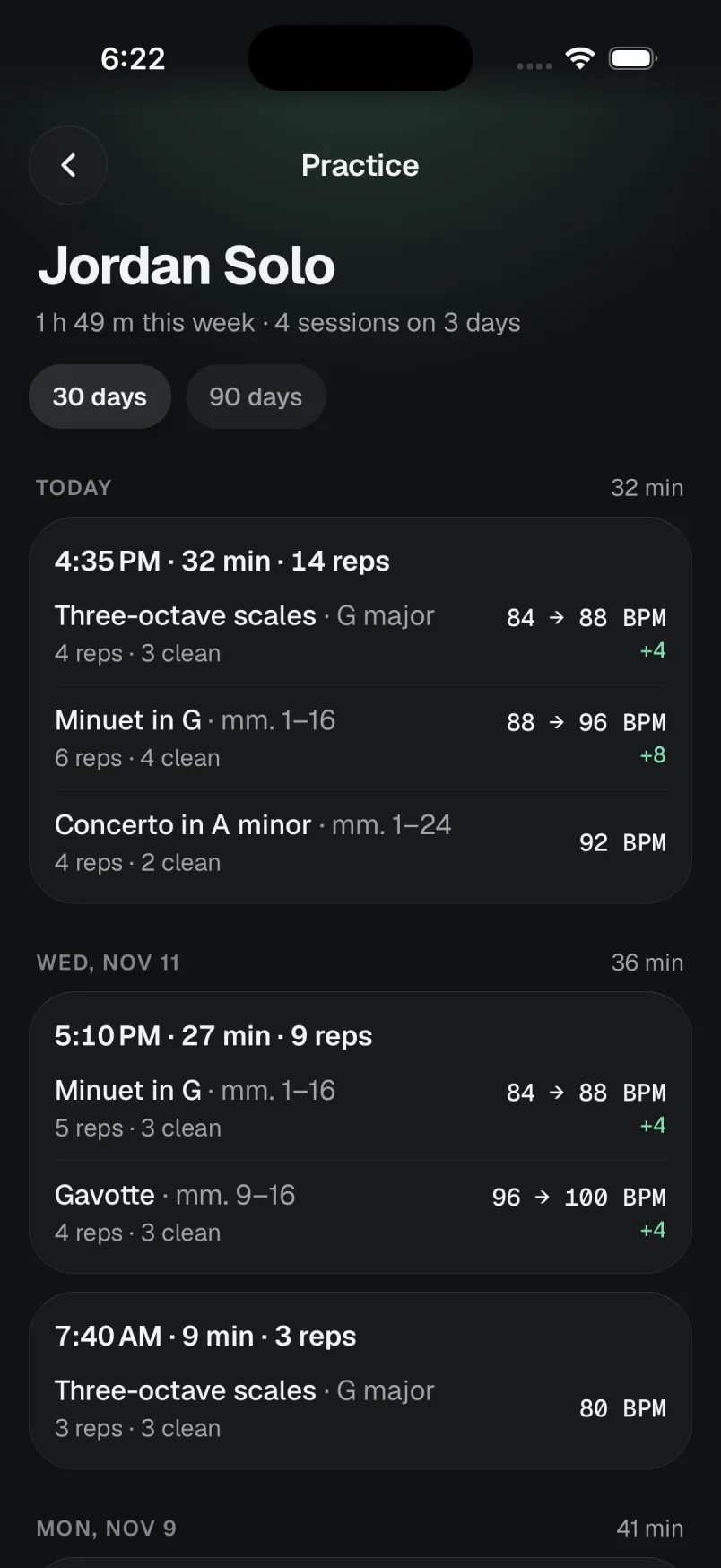
A student’s week
Passages, reps, clean reps and where the tempo went, session by session.
Invoices
One for each completed lesson. Mark it paid by cash, check or transfer.
The schedule
Lessons and practice sessions on one week.
A studio starts in three steps
1
Create your studio
An account, a name for the studio and its time zone. That is the whole set-up.
2
Share your studio code
Students and parents enter it in the app to ask to join. You approve each request.
3
Assign the week
Pick the pieces, give each a tempo, add a note. It is waiting in their library when they open the app.
What is in it
- Adaptive metronome
- Rate each rep; three clean in a row raise the tempo toward the goal.
- Tuner and drone
- On the same dial as the metronome, in any key.
- Focus timer
- Timed blocks with breaks between them.
- Session planner
- Warm-up to cool-down, in the order you drag them into.
- Scale cycle
- The week’s keys rotate by themselves, twelve weeks round.
- Journal
- The week, the month and all time, counted from what was played.
- The month’s piece
- A chord for every day practiced; play the month back.
- Stamps
- The Segno seal for a mastered passage, and the Coda after it.
- Studio code
- Students ask to join; nobody is added until you say so.
- Weekly assignments
- Pieces with a tempo and a note, copied from last week if you like.
- Practice history
- A student’s sessions, passages, reps and tempos.
- Lessons and invoices
- A schedule, your rates, and an invoice for each completed lesson.
What a teacher sees, and what stays with the student
- Nobody joins your studio until you approve them.
- You see a connected student’s sessions, passages, reps and tempos.
- Stamps and the month’s piece are shown only to the player.
- No ads, and no data sold.
Questions
What does it cost?
Nothing during the beta, and students stay free after it. The price for teachers after the beta has not been set.
Do my students need an account?
Yes, a free one. They enter your studio code in the app and you approve the request. A parent can join the same way for a younger student.
How do my students get the app?
The iPhone app is in a private beta and is not on the App Store yet, so there is no public download today. Join the waitlist on this site and we’ll write when there’s room; questions go to support@solonova.io.
Can families pay through Segno?
Not during the beta. Segno makes an invoice when you complete a lesson, and you mark it paid when the cash, check or transfer arrives. Card payments are switched off for now.
Which instruments is it for?
Any of them. The metronome, tuner and drone do not mind what you play, and the pieces and passages are whatever you type in.
Is there an Android app?
Not yet. The app is for iPhone. The studio pages also open in a browser on any computer.
Can I delete my account?
Yes, whenever you like: from Profile & account in the iPhone app, or Settings on the web. “Delete account”, at the foot of this page, says what is removed and what stays.
See your own students’ week.
Free for teachers during the beta. Always free for students.
The iPhone app is in a private beta with no public download yet. Join the waitlist and we’ll write when there’s room.